
If you’re not a tech expert or you are, then this article is for you if you have a phone or have purchased a new smartphone. This article will help you to keep your smartphone secure and in well condition for its long life. So stay tuned till the end because I promise you that you will consume a quality time in this article. So let’s get started!
1. Backup data from old phone to the new one:-
If you had been using the old phone and have purchased a new phone then you must do a backup of old phone’s data to the newer one.
Here’s how:-
-Go to settings and search for backup data
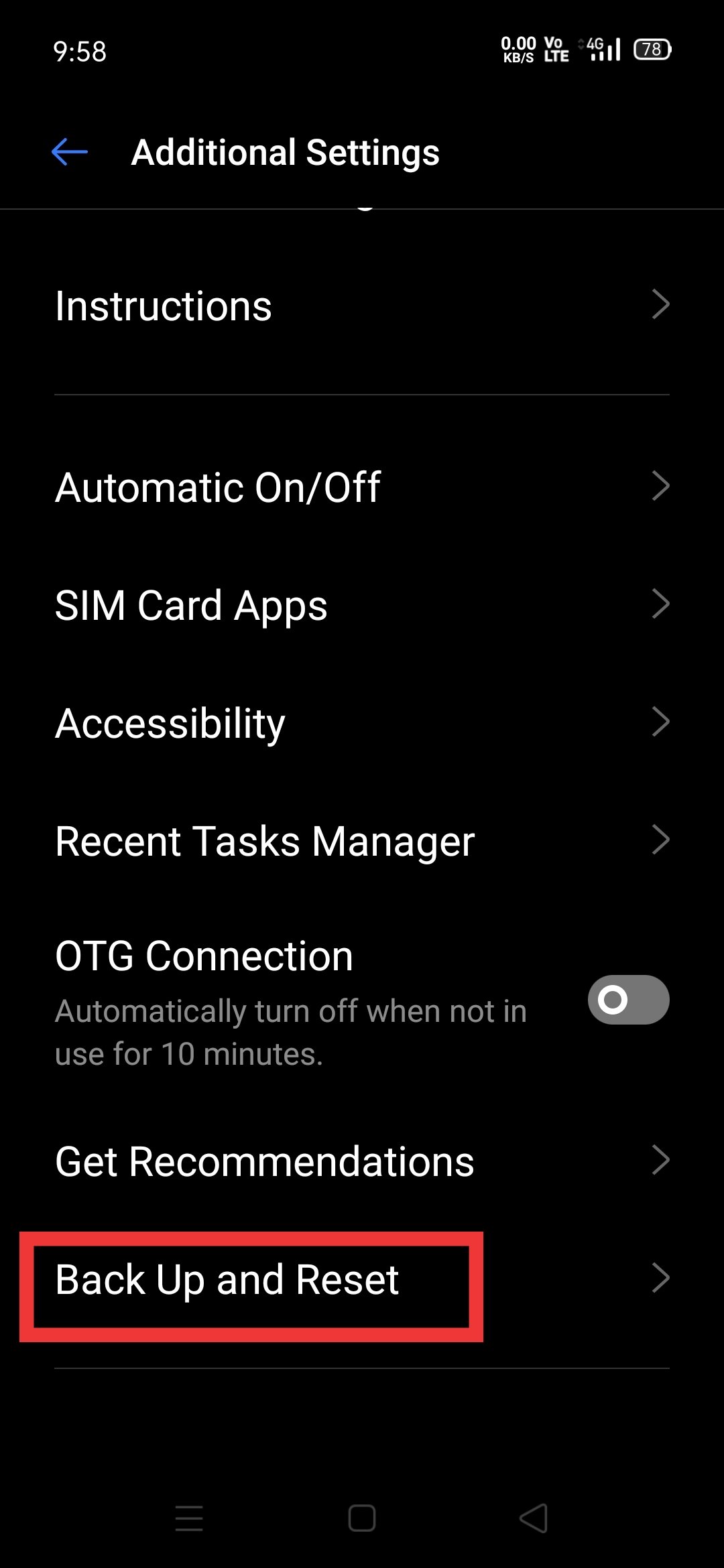
Then click on the backup on your old device and when it finished, you must use your same Google Gmail id in you new smartphone then when you sign in the new phone, click on the restore data option…
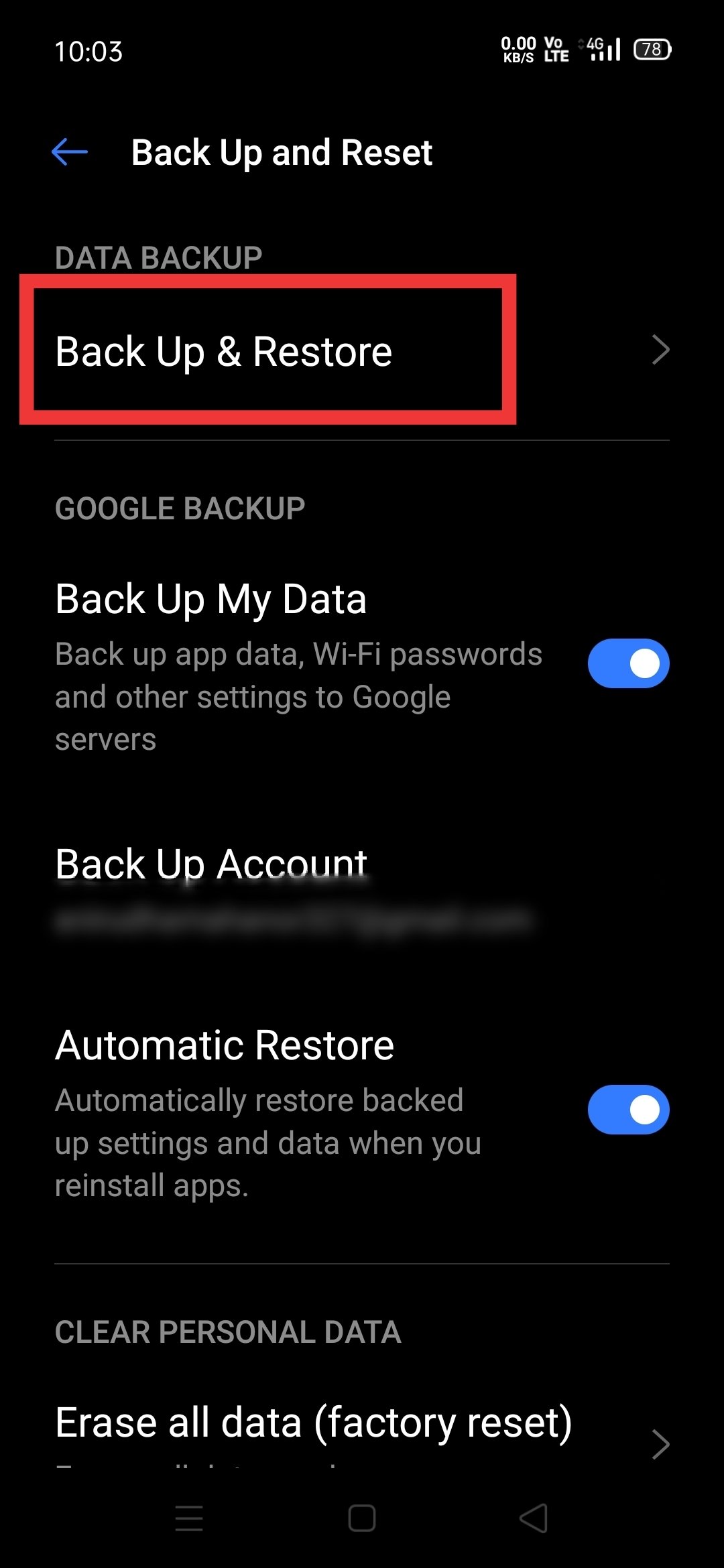
You are done!
This helps to recover you old phones data to the newer one which is the most important thing for you.
2. Buying a New case
If your phone has a plastic build our a glass build and if you want to protect it from everyday scratches or deep marks them you should buy a suitable but branded case because must of the cases aren’t survivable that they can surely protect your smartphone..
If you want to buy branded and best cases, you can buy here:-
Amazon:-
Flipkart:-
But there are disadvantages as well! What are the disadvantages of using back covers are covered in Shlok’s video, checkout that also:-
3. Enabling Find my device:-
You must enable “find my device” option in your smartphone if you forgot or someone steals your device! This will help you to find your smartphone’s location or you can erase you phone’s data or can ring it by using your Google account in different device with the help of find my device APK from Google play store…
To enable this option in your new device, go to settings>Security>find my device.
You done it.
4. Finding and storing IMEI number:-
You must store your IMEI number if thief has stole your device… This helps police to find your smartphone using their tactics…
To find it, Dial *#06# in you phone… Or it is also present on your smartphone box as well as bill…
5. Setting up user interface on a new smartphone…
You can checkout this for your smartphone by searching its model on YouTube
Cheers!
6. Checking latest software updates:-
System Updates are actually very necessary for your device. They mostly provide Bug fixes & Security Update Patches, improves system stability and also some times UI improvements. Security Updates are very important because older security can make you more vulnerable to attacks.
To do it:- go to settings>software updates
7. Uninstall bloatwares on your smartphone:-
Most Android devices come with bloatware in some form or another. At best, nearly all of those apps do nothing but take up precious space. At worst, they get in your way of working productively and efficiently. Wouldn’t it be nice if getting rid of those apps was just a matter of uninstalling them?
Problem is, there is no easy way to completely rid yourself of bloat–unless you have a rooted device, in which case, completely jettisoning that bloatware is actually possible. But even if you don’t have a rooted device, all is not lost. You can search tactics to remove them on YouTube or can Google it.
8. getting used to your smartphone and understand its all features:-
You can do it yourself by taking time for your phone or by checking videos of your smartphone on YouTube.
9. Dealing with operating system bugs:-
You can check solution for bugs on internet for you device or can wait for a software update..
10. Syncing old data
Cheers!

 authority.tech.blog